Yes to some cameras, no to most. Effective April 30, 2024, Airbnb banned all indoor cameras in every listing worldwide — visible or hidden, powered on or off, and regardless of any prior disclosure. Outdoor cameras covering front doors and driveways are still allowed, but the host must disclose each one before you book.
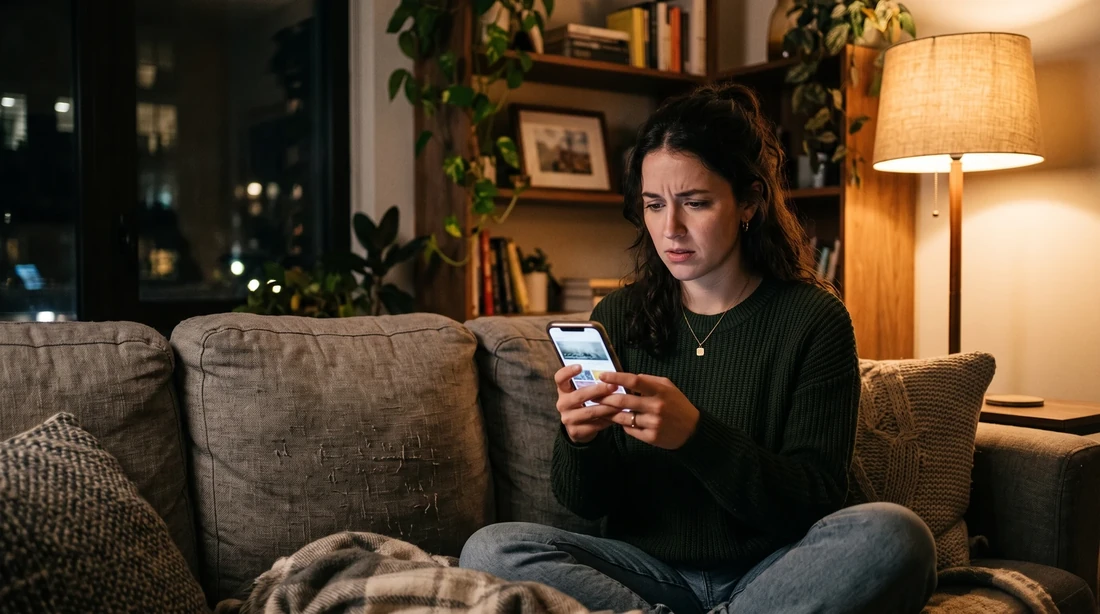
You read one bedroom-camera horror story and now you're scrolling a listing at 11 p.m. wondering if the place you're about to book is watching you. That worry is exactly why Airbnb changed the rule. Here's the honest, current version of what's allowed, what's banned, and how to confirm it yourself in under two minutes before you pay.
The indoor-camera ban has been in force since April 30, 2024 and applies to every active Airbnb listing today. Camera disclosures live in each listing's guest-safety section — you can read them before you book, not after you arrive.
What Airbnb's Camera Ban Actually Says
The core rule is simple: no indoor cameras anywhere inside an Airbnb, period. Before the change, hosts could keep a disclosed indoor camera in a common area like a living room or entryway. As of April 30, 2024, that carve-out is gone.
The ban covers visible devices and hidden ones. It covers cameras that are switched off. It even covers devices a host previously disclosed and a guest previously accepted. Disclosure no longer makes an indoor camera acceptable — the device simply cannot be there.
The policy also reaches outside. Cameras aimed at private outdoor areas where guests expect privacy — pools, enclosed gardens, and patios — are prohibited too. The logic is consistent: spaces where you'd change, bathe, or relax unobserved are off-limits to recording.
What survives are exterior cameras pointed at genuinely public-facing spaces: a front door, a driveway, a shared entrance. Those are allowed because they protect the property and its neighbors without capturing you in a private moment — but only if the host tells you about them first.

Timeline: How the Airbnb Camera Rule Changed
The shift from "disclose your indoor camera" to "remove your indoor camera" is the whole story. This table lays out what moved.
| Period | What the rule allowed |
|---|---|
| Before April 30, 2024 | Indoor cameras permitted in common areas if the host disclosed them and they weren't in bedrooms or bathrooms. |
| April 30, 2024 onward | All indoor cameras banned — visible, hidden, on, off, or previously disclosed. Private-outdoor-area cameras also banned. |
| Enforcement today | Violations can bring listing suspension or permanent removal, host account deactivation, and potential legal consequences depending on jurisdiction. |
What's Banned vs. What's Still Allowed
The dividing line is public-facing exterior versus anywhere private. Use this as your quick reference when a listing mentions a security device.
| Device | Allowed? | Conditions |
|---|---|---|
| Any camera inside the home | Banned | No exceptions — visible or hidden, on or off, disclosed or not. |
| Camera on a pool, patio, or enclosed garden | Banned | These are private outdoor areas where guests expect privacy. |
| Camera on the front door or driveway | Allowed | Must be clearly disclosed with its presence, purpose, and location. |
| Noise-monitoring device | Allowed | Only if it records no audio or video, is disclosed, and is kept out of sleeping areas. |
Note the noise-monitoring rule closely. Decibel sensors that flag a loud party are common and legal — but the moment a device records sound or images, it becomes a camera or recorder and falls under the ban. It also cannot sit in a bedroom.
Airbnb's compliance guidance even recommends the wording hosts should use. A model disclosure reads like: "A security camera is installed above the garage to monitor the driveway." Presence, purpose, location — all three in one plain sentence. If a listing's device note is vaguer than that, it's fair to ask the host to specify before you book.
What This Means If You're Booking a Stay in OKC
The rule protects you no matter where you book, but a local operator's transparency is what turns a policy into peace of mind. On our direct listings, every exterior device is disclosed by location and purpose — the same standard Airbnb's own guidance recommends — and there are zero indoor cameras across all 11 of our OKC metro homes.
That matters most for the stays where privacy is the whole point: a family displaced by a house fire settling in for months, a group renting a home that sleeps up to 16, or a nurse on a long contract who wants to feel unwatched after a shift. When you book direct through us, you can ask a real person — not a support queue — exactly where any driveway or doorbell camera sits before you pay.
Our track record is public: BnB OKC holds a 4.8-star average across 1,247 verified guest reviews on Airbnb, and two of our homes carry Airbnb's "Guest Favorite" badge. Privacy questions are part of what those reviews reflect.
Hypothetical: say a family books a four-night OKC stay and, before paying, opens the guest-safety section. They see one line — a doorbell camera at the front entrance, nothing else — ask us to confirm no interior devices, and get a same-day yes. Booking direct on that 4-night stay also unlocks up to 35% off versus platform pricing (our published from-rates run $165–$425/night). Transparency and a better rate, in the same booking.
Want to know exactly what devices are on a home before you book it? Every BnB OKC direct listing discloses its exterior cameras by location — and a local operator answers privacy questions before you pay.
Book direct & see full device disclosures Call or text (405) 295-5052
How to Check a Listing for Cameras Before You Book, Step by Step
You don't have to trust a headline — you can verify any listing yourself in about two minutes. Follow these steps before you pay.
- Open the guest-safety section. Scroll the listing to "Things to know" or "Safety & property" — camera and device disclosures are required to live there.
- Read every device note for the three details. A compliant disclosure names the device's presence, purpose, and exact location, e.g. "camera above the garage monitoring the driveway."
- Confirm no device is indoors or on a private outdoor area. Any interior camera, or one aimed at a pool or enclosed patio, violates the current rule — treat it as a red flag.
- Message the host with specifics. Ask plainly: "Are there any cameras or recording devices inside, and where exactly are the exterior ones?" A straight answer is a good sign.
- Book only when the answer is clear. If a host dodges, refuses to specify, or the disclosure stays vague, choose a listing that discloses cleanly.
When the Rules Don't Fully Protect You
The policy is strong, but it isn't magic — and being honest about the gaps is more useful than pretending they don't exist.
Airbnb bans indoor cameras, but it can't physically inspect every home. A dishonest host could still hide a device, which is illegal in most places and grounds for account deactivation and legal action if discovered — but the rule works by enforcement after a report, not by prevention at every door.
So the rules do the heavy lifting when a host is honest, and your own two-minute check catches the rest. Where a local operator genuinely changes the outcome is verification: a named person you can call, a public review history, and disclosures written to the recommended standard rather than the bare minimum. For a one-night business stopover you may never think about it. For a 30-plus-night displacement stay, a stay with kids, or a group booking, being able to confirm the answer with a human beforehand is worth the call.
Terms You'll Hear, Decoded
- Guest-safety section: the part of a listing ("Things to know") where hosts are required to disclose cameras and devices — readable before you book.
- Noise-monitoring device: a decibel sensor that flags loud sound levels; legal only if it records no audio or video and isn't in a sleeping area.
- Private outdoor area: a pool, enclosed garden, or patio where guests expect privacy — off-limits to cameras, same as indoor spaces.
- Disclosure: the host's written statement of a device's presence, purpose, and location; the model format names all three in one sentence.
For how OKC's local rules affect where you can legally stay, see our guides on OKC short-term rental rules and the OKC Airbnb enforcement crackdown. Booking across the metro line? Check the Norman short-term rental license requirements. Planning around a big travel year, see our Route 66 Centennial OKC guide.
You can browse device-disclosed OKC furnished homes or book direct anytime.
Your Next Steps
- Check the guest-safety section of any listing you're considering and confirm no indoor or private-area cameras are noted.
- Message the host to confirm device locations in writing, or compare listings that disclose cleanly.
- Book with full transparency: reserve on our book-direct page or call/text (405) 295-5052 to have every exterior device confirmed before you pay.